Europe first
Optimised for study, work and everyday life
 FANVELAFANVELAEUROPE · iOS 26
iPhone · iPad · Apple Watch
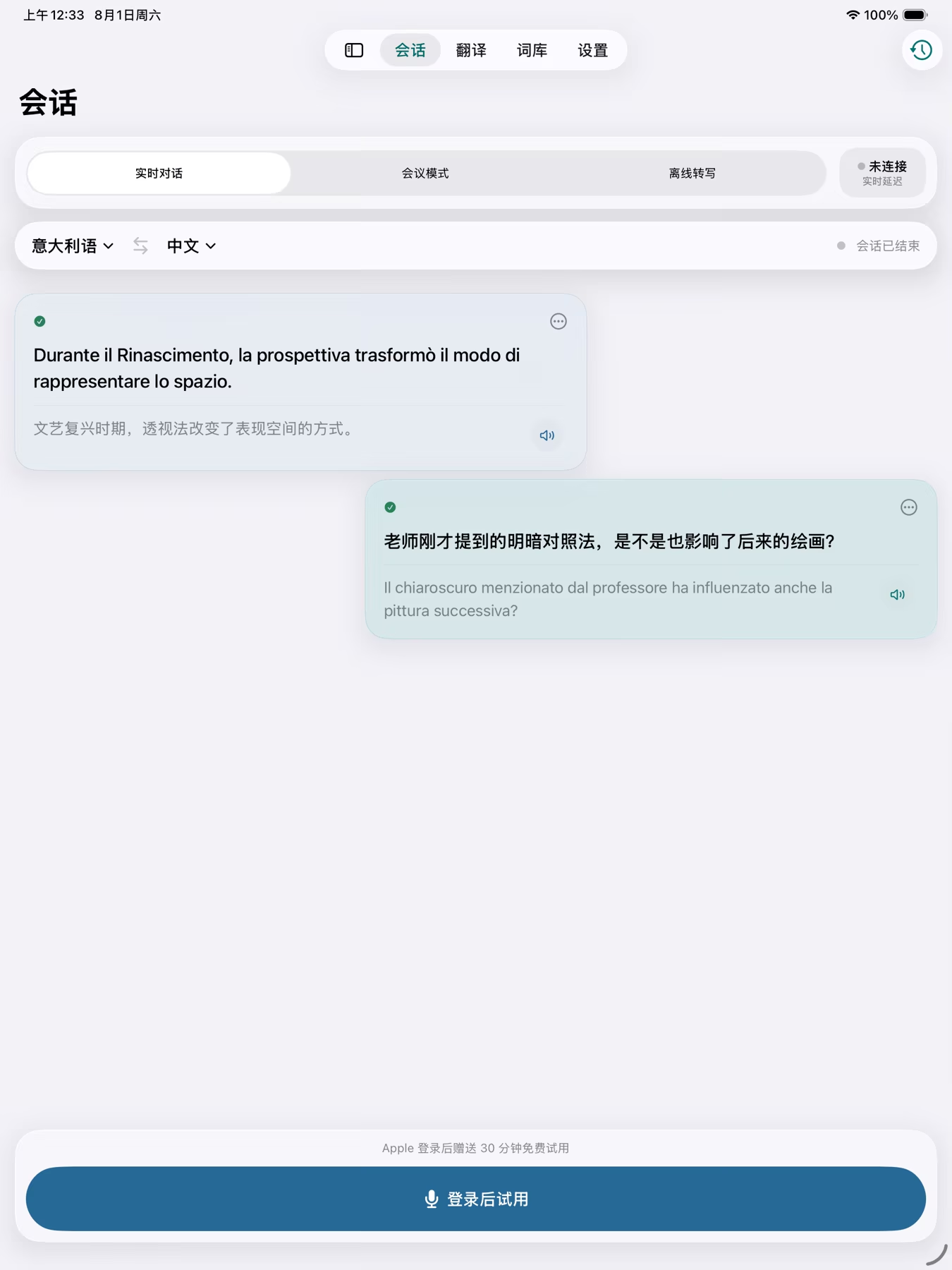
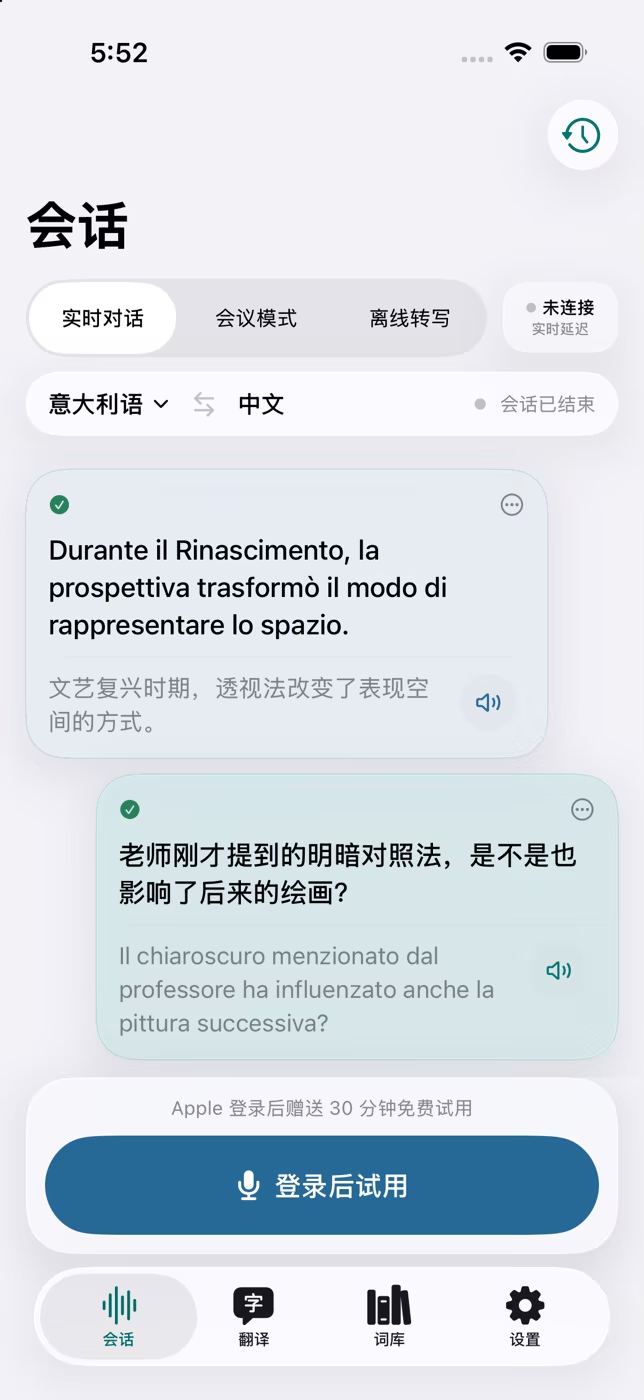
Live conversations, meetings, photos, books and imported recordings all lead into the same history and level-aware glossary. FANVELA is made to help you understand now—and build language you can reuse later.
Optimised for study, work and everyday life
iPhone, iPad and Apple Watch
Recordings, glossary and history stay on device
You decide when each cloud feature is used
The Conversation page is not one generic recorder. Each mode is designed for a different moment, and every finished session can be reopened from History.
Automatically identifies the spoken language and separates original speech from translation. Useful in class, at appointments, while viewing a flat or in everyday conversation.
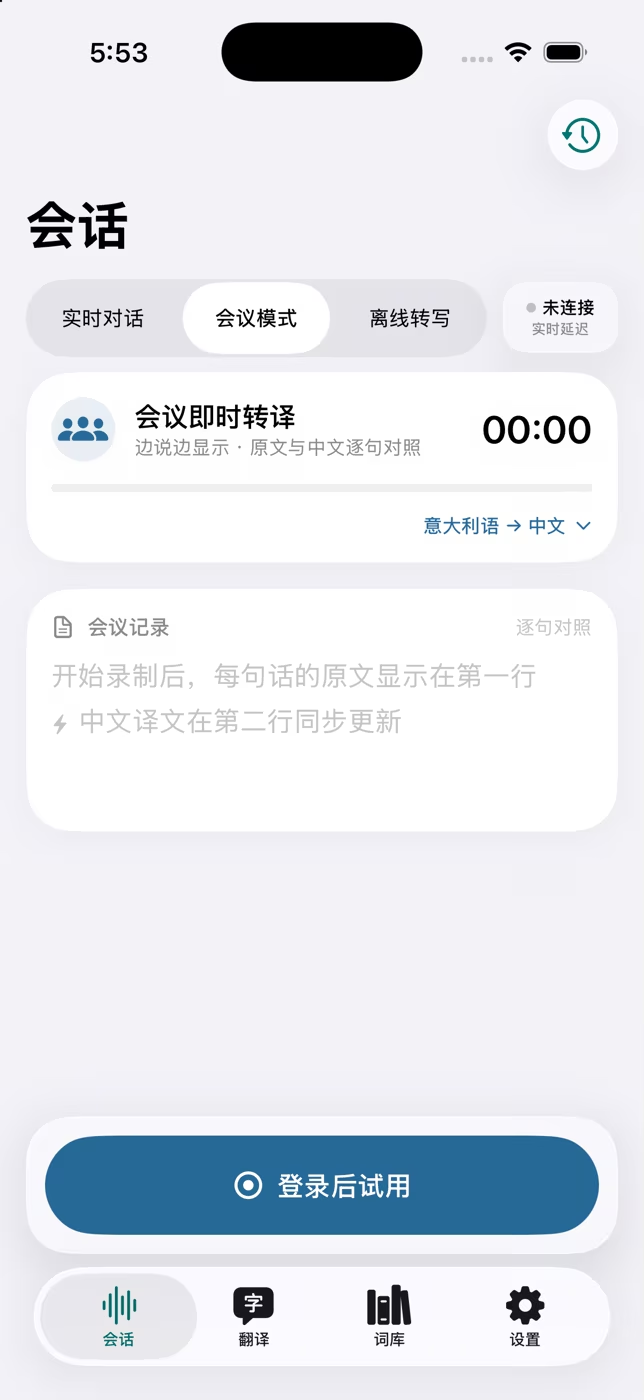
Follow the original and translation sentence by sentence. Records stay on device, with optional cloud refinement and AI study notes when you choose.
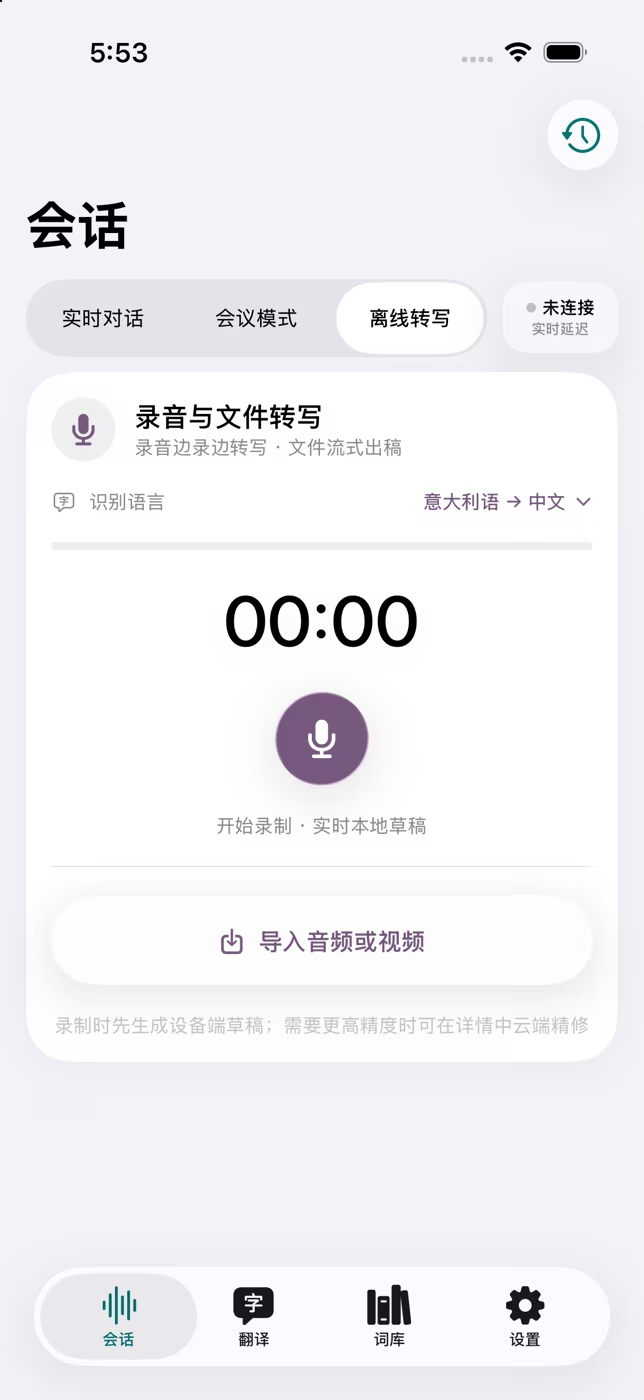
Record locally, create on-device drafts and import audio or video. When the network returns, you decide whether to request higher-accuracy processing.
iGood connectivity can put connection feedback in the millisecond range, but no translation service can guarantee a fixed delay on every network.
Every route in the app can become reusable study material instead of an isolated result.
Speak, type, photograph a page, record a meeting or import a media file.
Use fast translation first, then request Precise Translation when the wording needs more context.
Choose Quick Study or Deep Academic Study for an overview, key points, terms, actions and items to verify.
Send selected words from conversations, photos, recordings and books into your personal glossary.
Choose a European scenario and see translation, terminology and context change together.
Il chiaroscuro ha trasformato la pittura del Rinascimento.
Chiaroscuro transformed Renaissance painting.
No abstract promises: these are the tools you can actually open and use in the app.
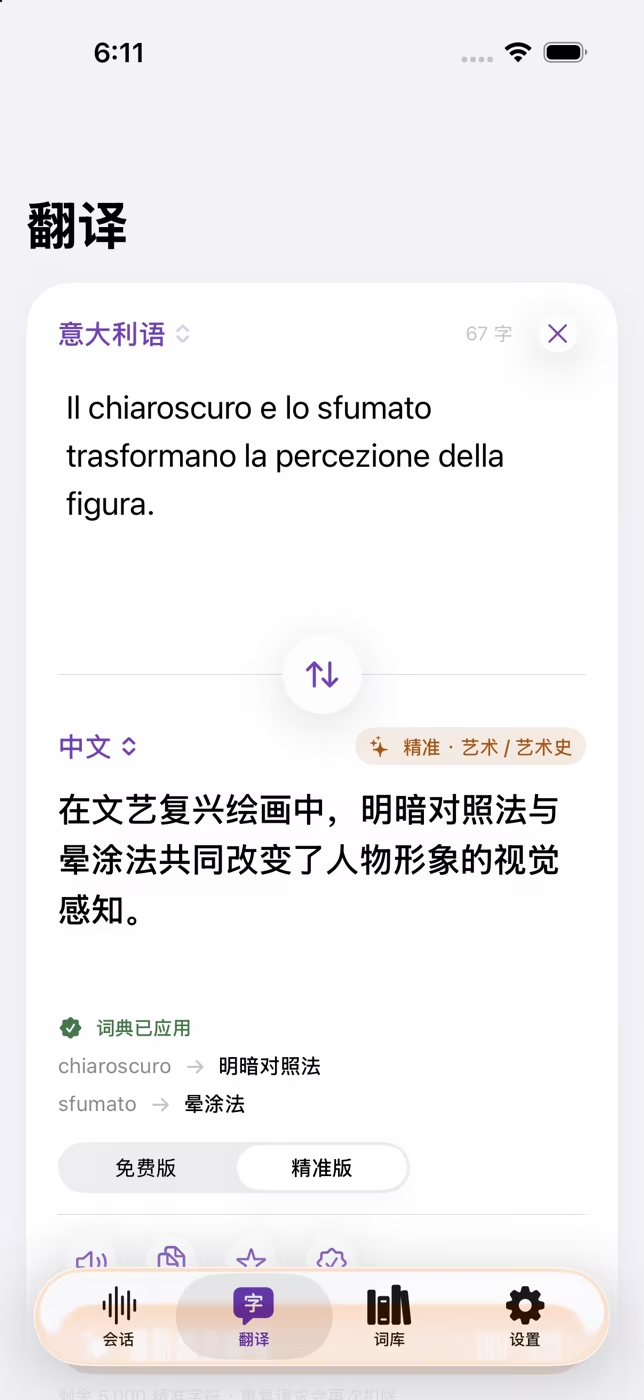
Type or paste for a fast result. If the wording needs more context, request AI Precise Translation with your field, glossary and translation memory.
Take a photo or choose one from the library for AI text recognition and translation. Results are saved in photo history and selected words can enter the glossary.
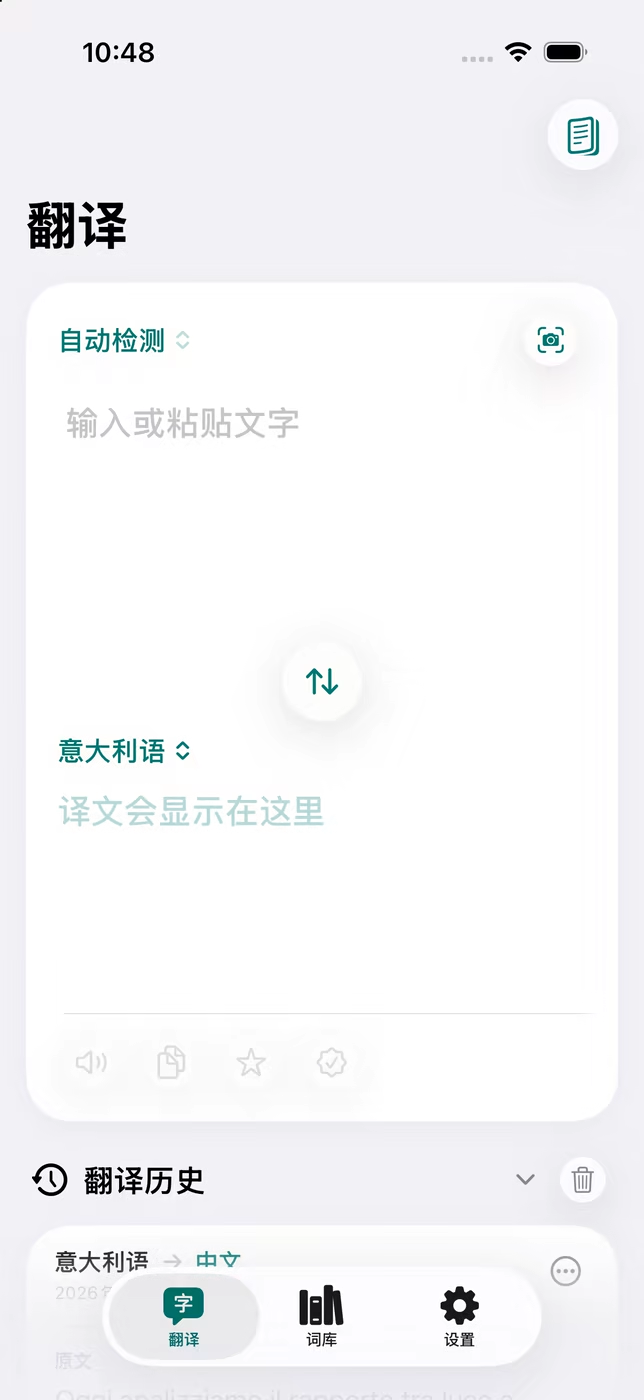
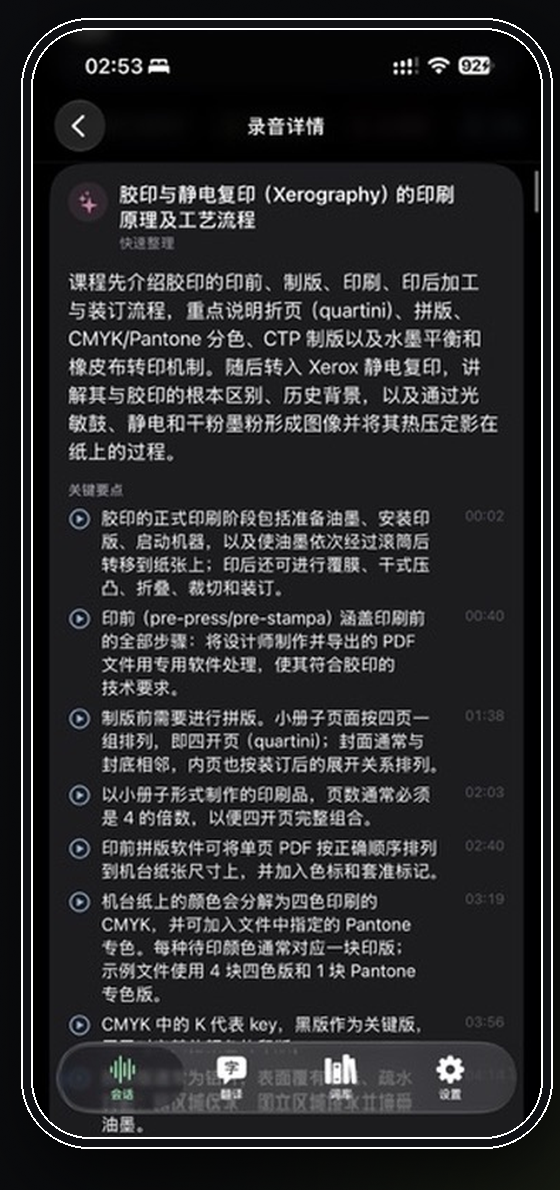
Reopen recordings, refine uploaded audio when you choose, then use Quick Study or Deep Academic Study for summaries, key points, terms and actions.
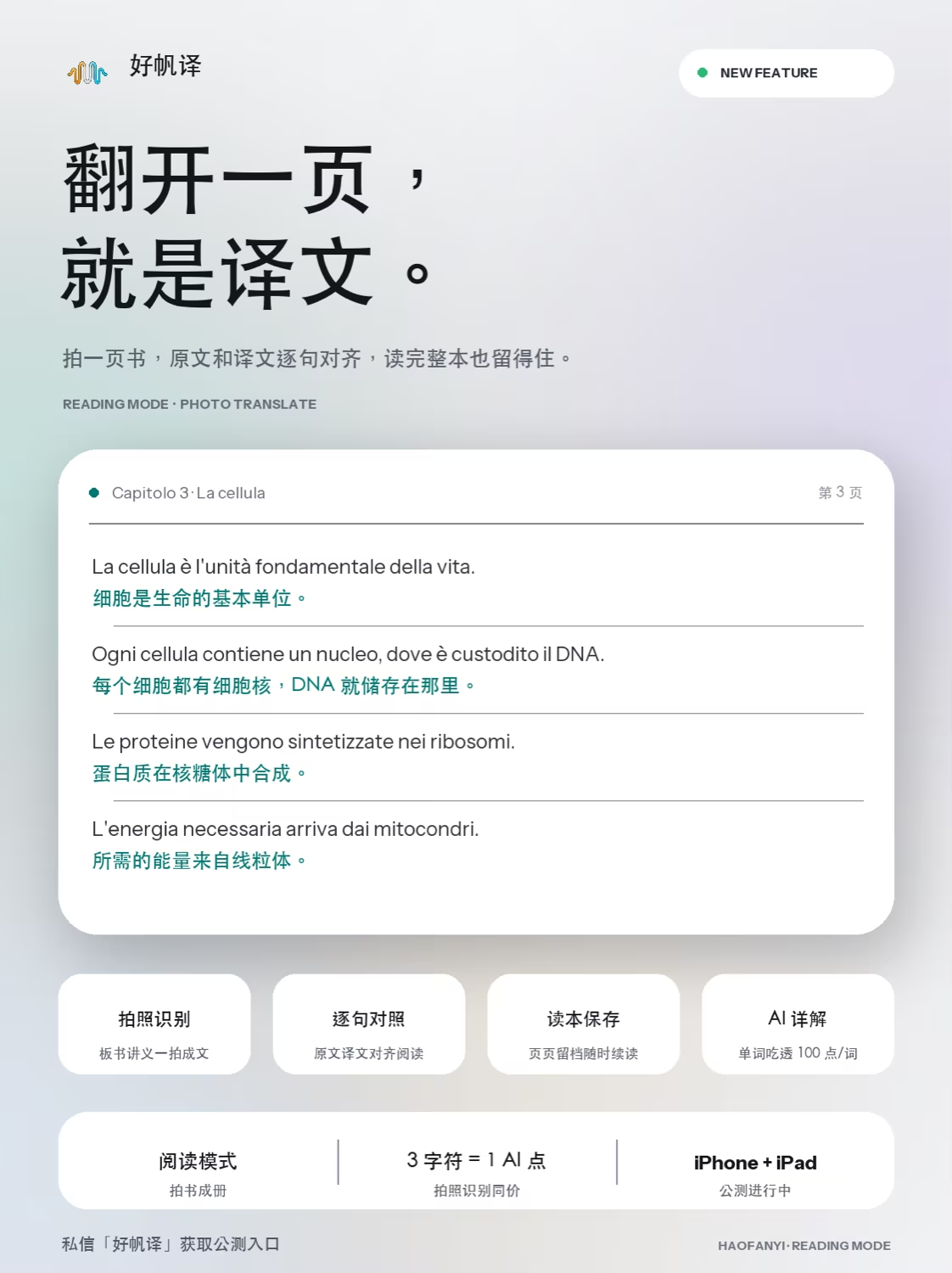
Photograph a book page for full-page and paragraph comparison, continue from Reader History, edit notes and organise one or several pages with AI.
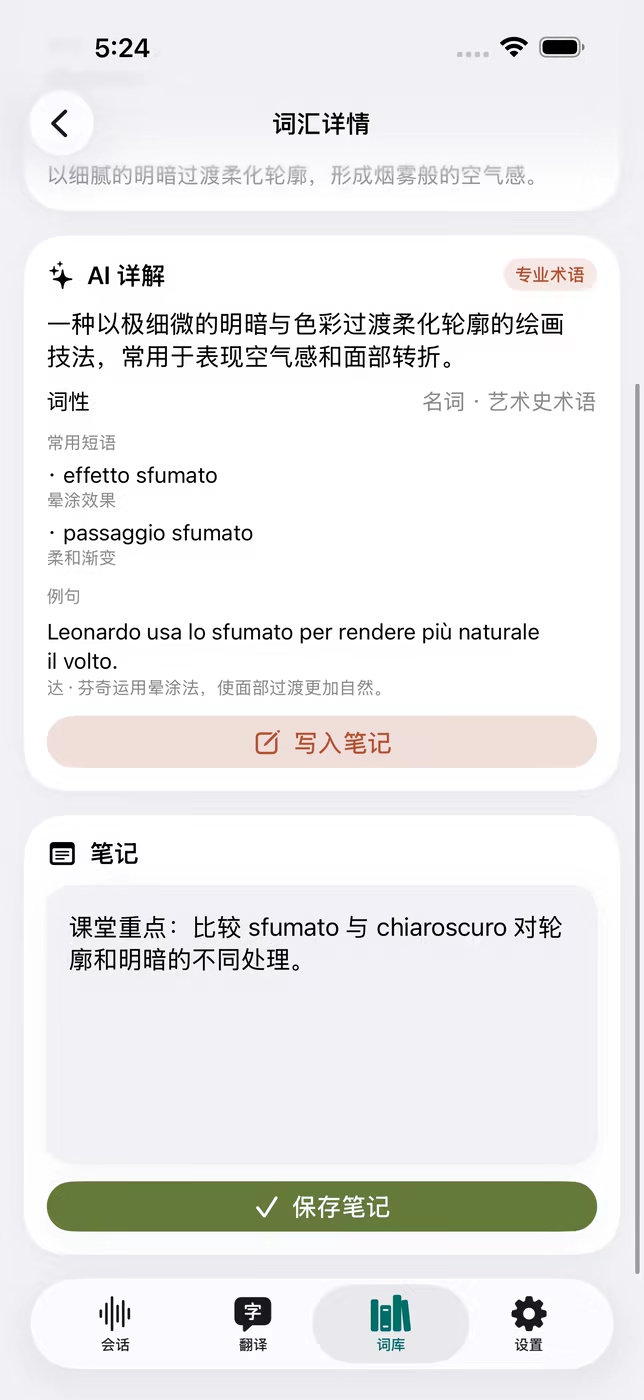
Open any saved term for its meaning, part of speech, collocations, contextual examples and professional explanation, then add notes or listen aloud.
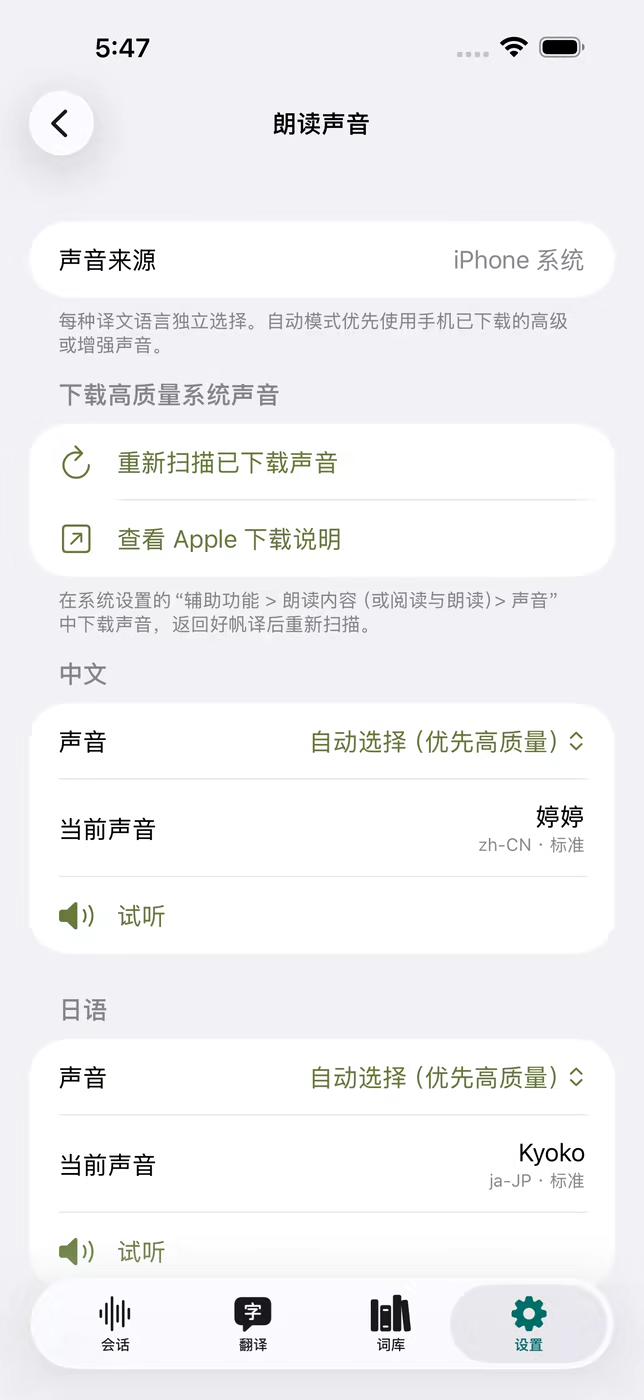
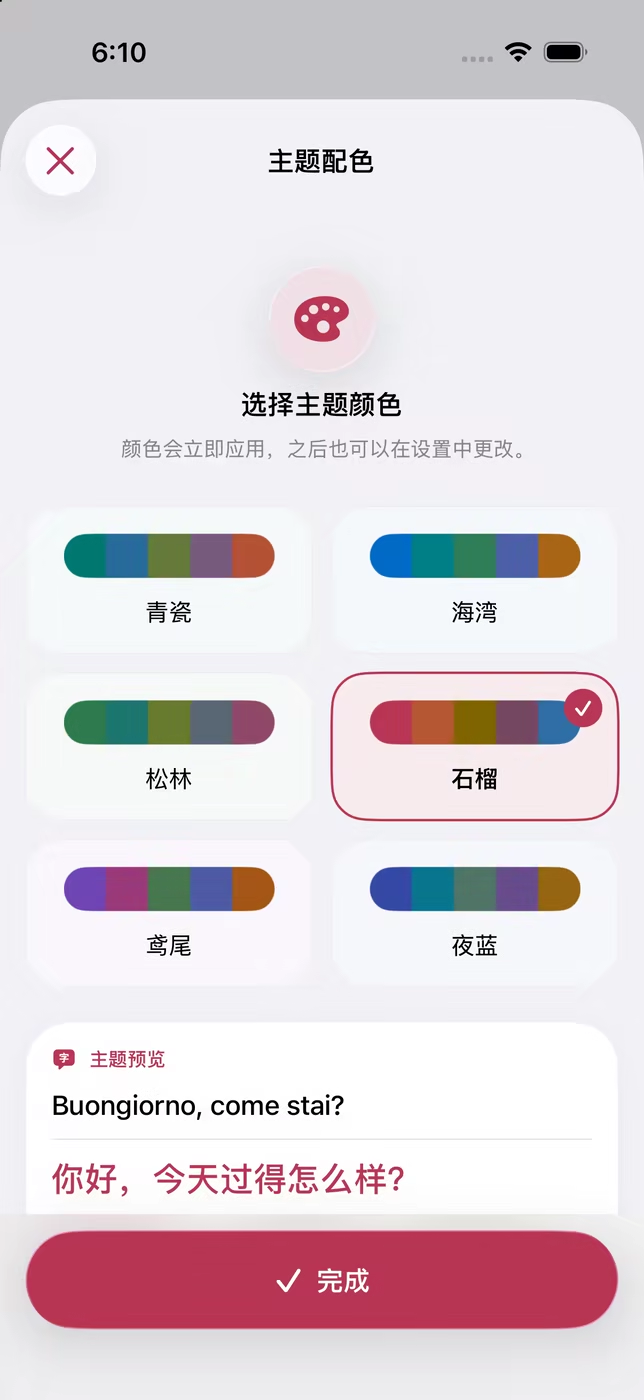
Choose downloaded Apple Enhanced or Premium voices, show captions in Dynamic Island, Picture in Picture or Apple Watch, and adjust feature colours.
Capture a full page, compare original and translation sentence by sentence, keep a reader as you continue, and optionally extract levelled vocabulary or request an AI explanation.
Vocabulary extraction follows the level system used by each language—such as CEFR, JLPT, HSK and TOPIK—so a beginner and an advanced learner do not receive the same list.
Bring in existing word lists and dictionaries from common document and terminology formats.
Open a word for a domain-aware definition, part of speech, common phrases and example sentences.
Your confirmed terms can participate in later text, conversation and recording translations.
Save vocabulary from text, photos, conversations, AI study results and Reading Mode.
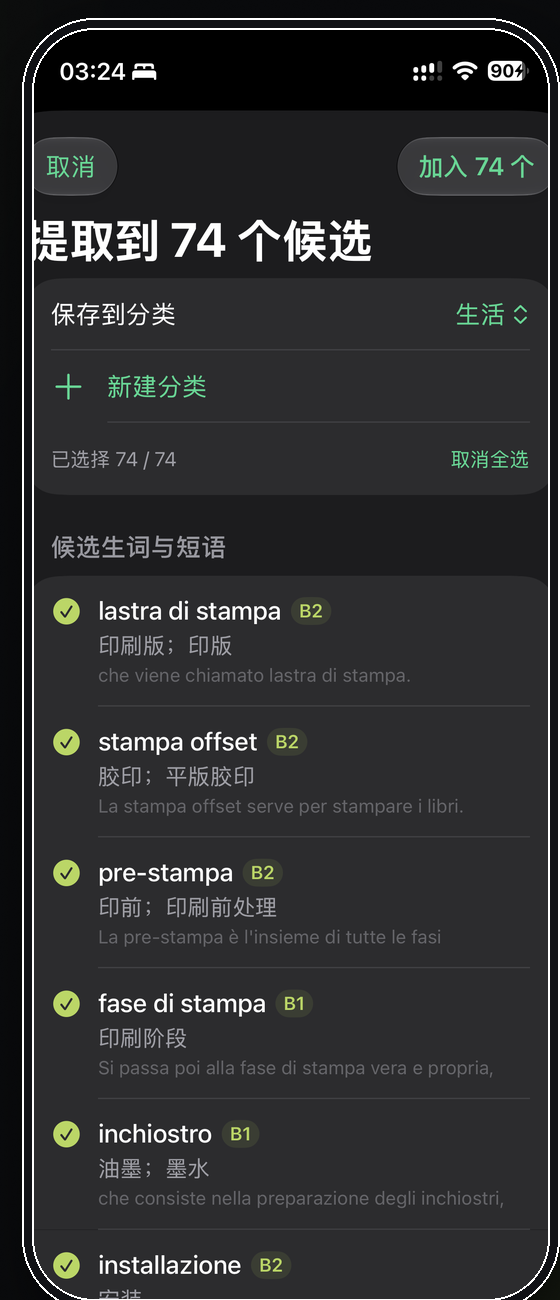
Supports CEFR, JLPT, HSK, TOPIK and other systems
During onboarding you can choose your role, field, courses, level, preferred style and real use cases. The profile stays on your device and only relevant context is used when you deliberately start a cloud task.
Choose an Apple voice for each language. Automatic mode prefers downloaded Enhanced or Premium voices.
See current bilingual captions in Dynamic Island, Picture in Picture and a paired Apple Watch.
Adjust feature colours, display style and Reading Mode typography, spacing and page colours.
iPad uses a spacious bilingual layout with Split View and resizable windows. iPhone shows recent captions in Dynamic Island or Picture in Picture, while Apple Watch mirrors current bilingual content in the Smart Stack.
Language priorities, classroom context and speech-processing regions are arranged around European users. We do not promise zero latency; we reduce unnecessary routing and congestion under real network conditions.
European networks use the EU speech region instead of sharing the US or Japan pools.
Accounts, usage and temporary cloud processing are supported by European infrastructure.
Your country does not limit available languages; Russian, Japanese, Korean and Chinese remain available.
Coverage is organised around study, work and life in Europe while retaining Chinese, Japanese, Korean and other widely used cross-regional languages.
Italiano · Français · Español · Português · Deutsch · English · Nederlands
Dansk · Svenska · Norsk · Suomi · Polski · Čeština · Magyar
Українська · Română · Български · Hrvatski · Srpski · Slovenčina · Slovenščina · Ελληνικά
中文 · 粤语 · 日本語 · 한국어 · Русский · Türkçe · العربية · فارسی · हिन्दी
Recordings, transcripts, glossary, translation memory, history and settings stay on your device by default.
Live speech, cloud refinement, contextual translation and AI study tools require your explicit choice.
We do not track you across other companies’ apps or websites or build advertising profiles.
Cloud AI is unavailable on mainland China networks; on-device translation, recording and glossary remain available.
It is designed around European study, internships, work, travel and daily life, with European languages, academic context and an EU speech region for European networks.
On-device text translation, local recording, offline draft transcription, your glossary, history and readers remain available. Content is sent to disclosed providers only when you enable the relevant cloud feature.
Repeatedly ending and reconnecting may resend language, glossary and context data and use more service capacity. Pause keeps a short break smoother and more efficient.
No. Recordings, transcripts, glossary, translation memory and history stay on device by default. Live cloud speech, cloud refinement, contextual translation and AI organisation require your action.
The Europe beta is in preparation. Apply now to be among the first to try the iPhone and iPad versions.